.png?width=200&height=87&name=simple-solutions-logo-1%20(1).png)
Classes are archived once the end date has passed. For teachers using SSO, contact your SSO administrator for help unarchiving a class. For teachers who self-registered, follow these steps:
1. Hover over the profile icon and click “Archived Classes.”
2. Find the desired class and click “Reactivate.”

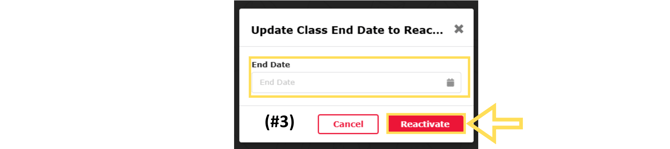
3. Enter a new end date and click “Reactivate.”
All classes will be removed yearly on June 24th, regardless of end date entered and cannot be recovered. Download any necessary student data before that time.