.png?width=200&height=87&name=simple-solutions-logo-1%20(1).png)
1. From your dashboard, find the appropriate class and click “Groups.” 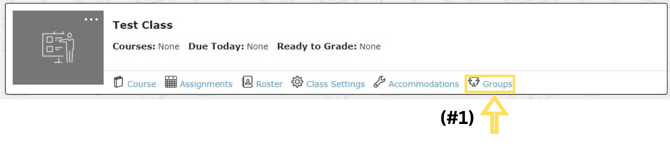 2.
2.
2. Click “+ Add Group.”

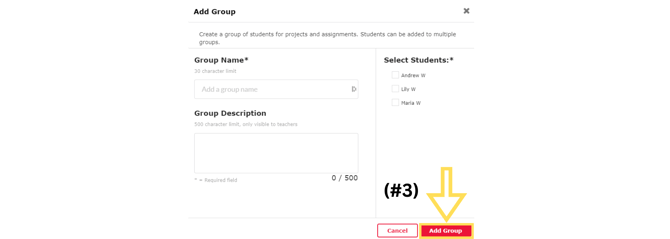
4. Group details are available on this page. To edit a group, click theⓘ. Then click “Edit Group” to make any changes.
1. From your dashboard, find the appropriate class and click “Groups.” 2.
2. Click “+ Add Group.”
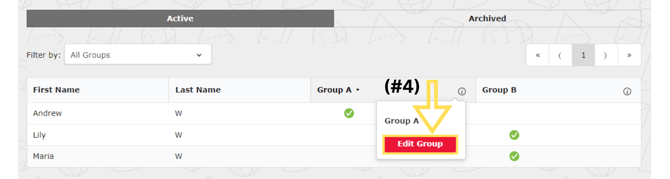
4. Group details are available on this page. To edit a group, click theⓘ. Then click “Edit Group” to make any changes.